Livo Kasse
The complete POS as a Windows program — free. Runs without internet and without an account, prints receipts, opens the drawer. Everything else you add when you need it.
All prices excl. VAT · cancellable monthly
Download and get started
The complete POS as a Windows program — free, no account, no registration. Download, install, start selling.
Livo Kasse 0.21.0
Windows 10/11 (64-bit) · runs without an account and without internet
- Windows shows a warning on first launch (“unknown publisher”) — the installer is not yet code-signed. A signing certificate is in the works.
- Honestly: productive use in Germany legally requires a TSE, which is not connected yet. Until then every receipt says “NOT A VALID TAX RECEIPT” — ideal for testing and training.
- Version:
- 0.21.0
- Size:
- 3.8 MB
- SHA-256 checksum:
- a3977450abca19462a80d134cb1aeda622369fecb4bb078cfd0be4a013f1b0bf
Try it now — right in your browser
Fully interactive demo with sample data. Click around — nothing is saved, "Reset" restores everything.
Trattoria Demo
Register 1 · standalone (no account)
Tax is handled automatically: food 19% dine-in, 7% takeaway — switch at the top right of the ticket.
Bon
Tap items …
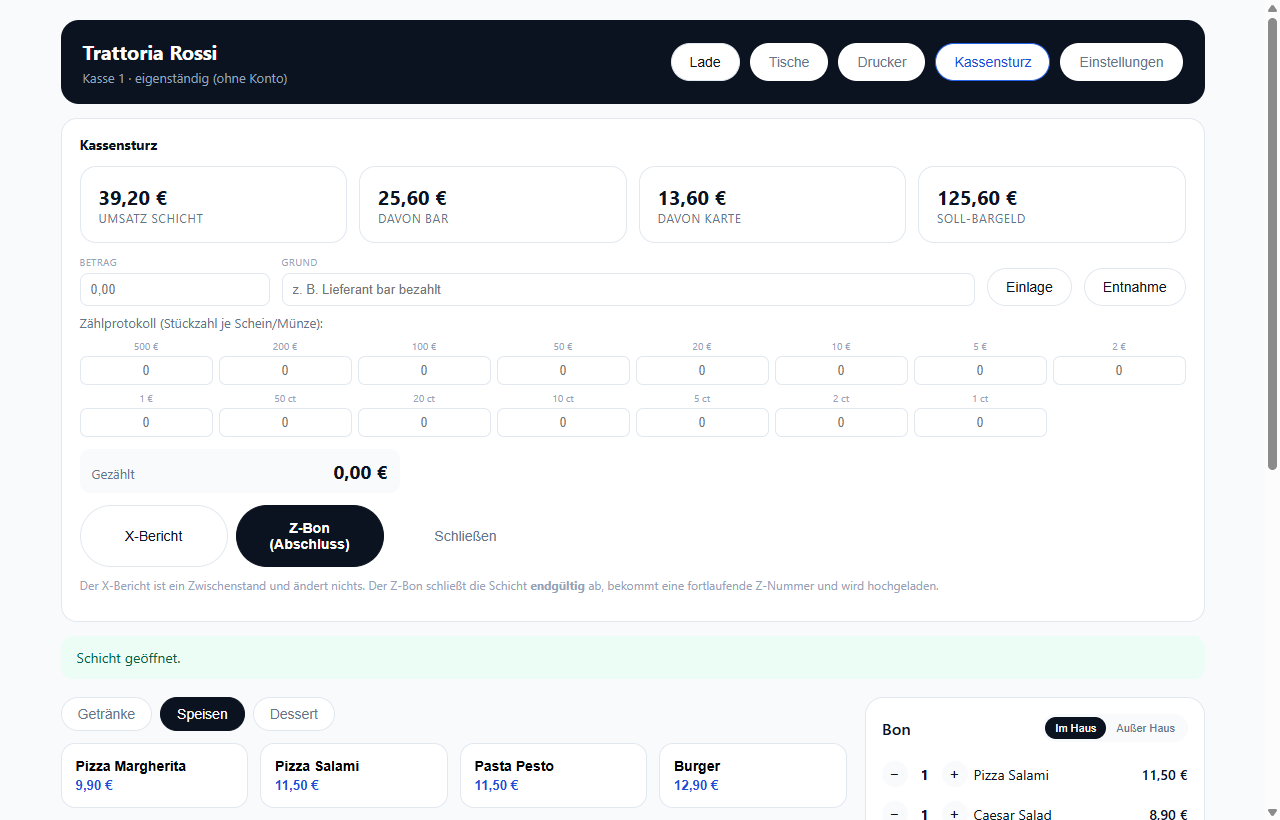
What the real app looks like
Unedited screenshots of the Windows app — with sample data.
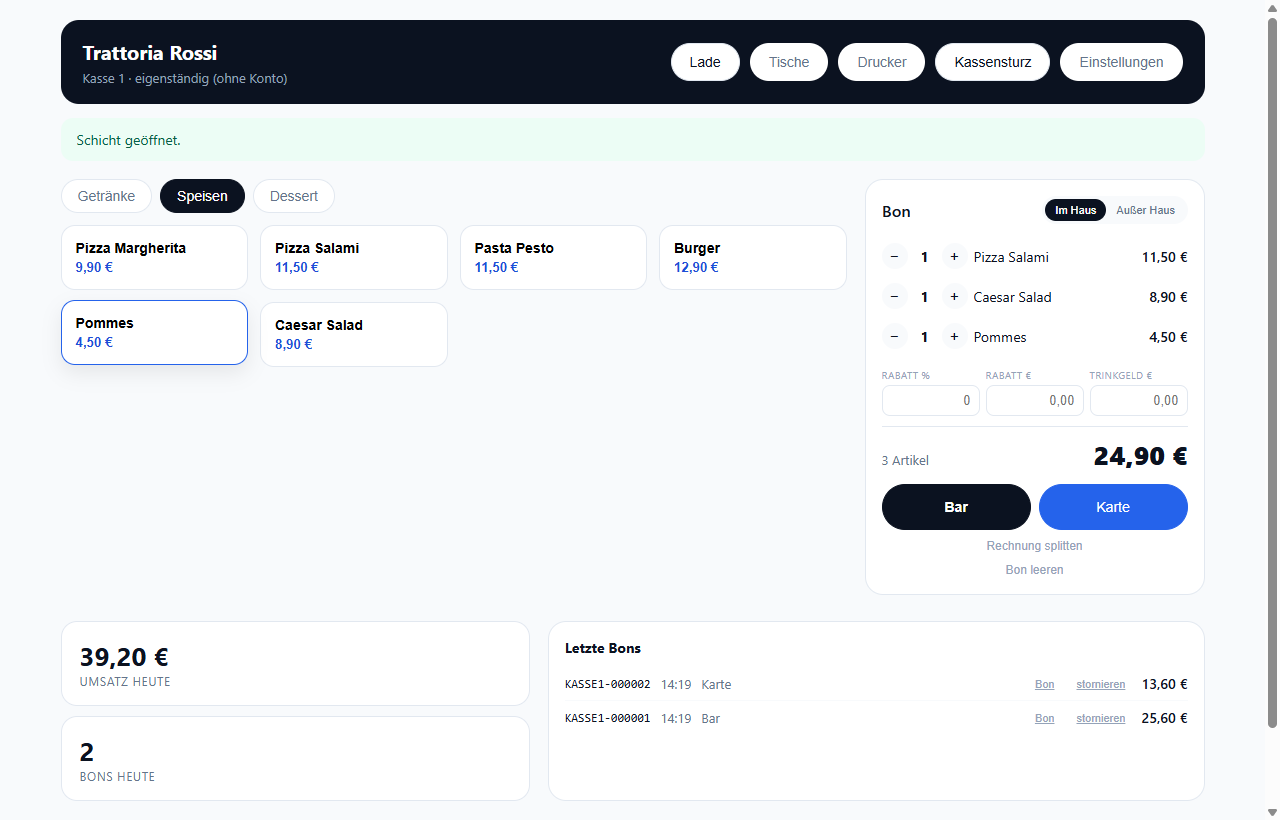
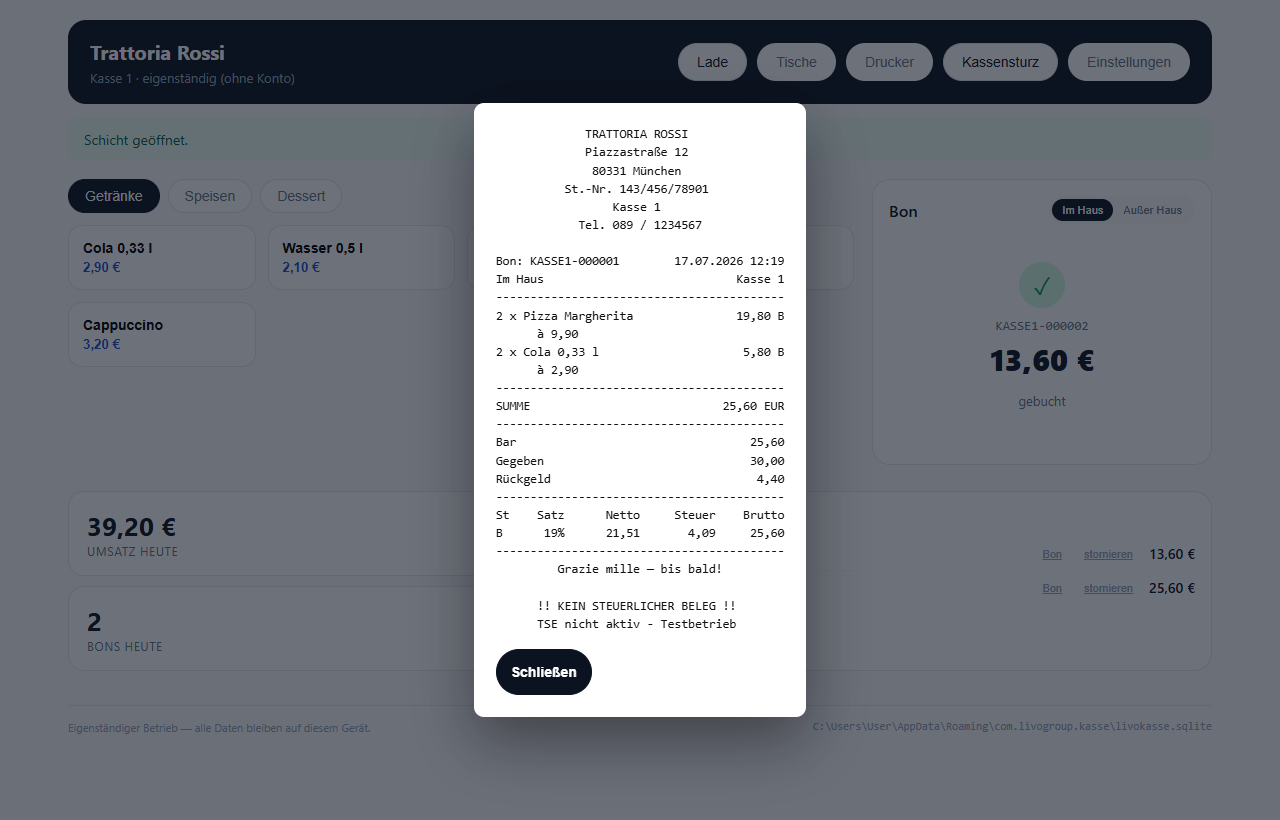
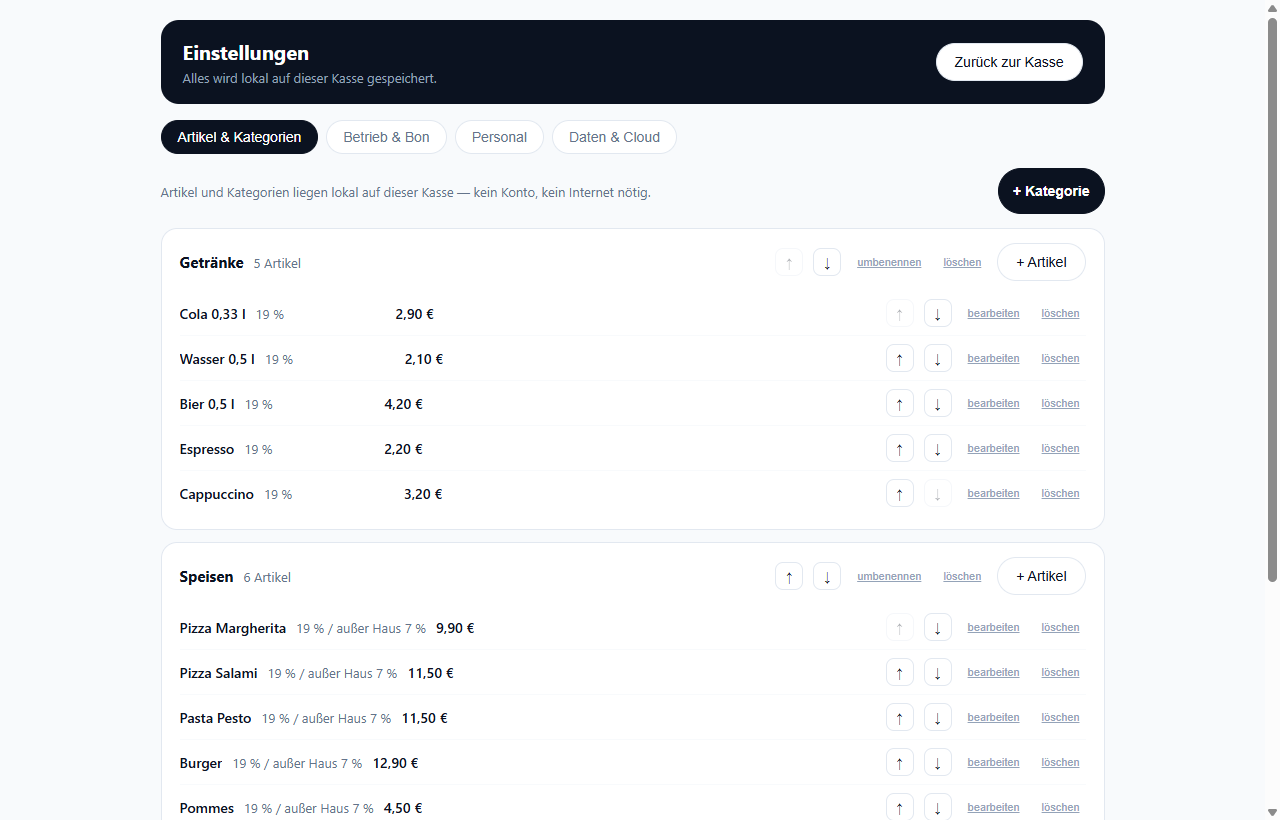
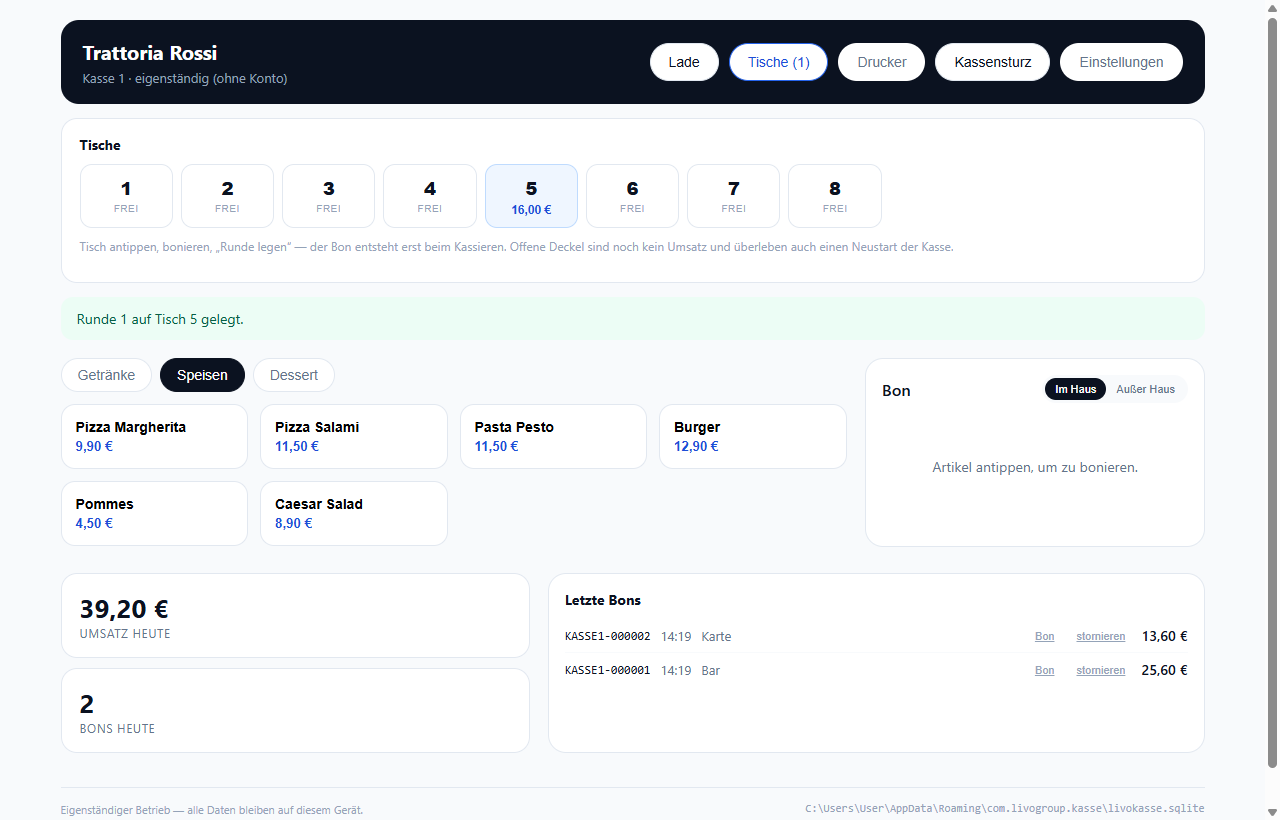
At a glance
Free and complete — no trial period, no account needed
Keeps running WITHOUT internet — all data lives on the register
Receipt printing (ESC/POS) with tax breakdown + cash drawer
Split by person or item, mixed payment methods
Tables & open tabs: order in rounds, settle at the end — separately too
Variants & extras per item (sizes, sides — with price up/down)
Kitchen display on your Wi-Fi: a tablet shows orders live — no cloud
QR ordering at the table: guests order themselves, the register takes it onto the tab
PIN login, training mode, audit trail and print queue
Inventory: recipes, food-cost ratio, low-stock warnings
Gift vouchers: sell, redeem as payment method, balance tracking
Two-way cloud sync: edit the menu at the register — all registers and the QR menu follow
Customer directory & loyalty: attach customers to receipts, earn and redeem points
Pickup & delivery: guests pre-order online, payment happens at handover
Kitchen display with stations (kitchen/bar) and course grouping
Self-order kiosk with pickup numbers — payment at the counter
Reservations with capacity check — tick off arrivals right at the register
Your logo on the receipt; cloud credentials secured in Windows Credential Manager
Stocktake, goods-in & shrinkage with a complete inventory journal; “fire course” signal to the kitchen
Suppliers & order proposal: low-stock ingredients grouped per supplier, topped up in whole packs to target stock — printable
Driver note per delivery (address, items, amount to collect); kitchen display updates instantly instead of every 3 seconds
Graphical table plan: arrange tables freely (drag), round/square, status and tab total at a glance
Recipes sync to the cloud — the owner dashboard shows calculated food cost with ratio and traffic light
Discount, tip, change calculator, void as counter-booking
Cash-up with X/Z reports, counting protocol and variance
Multiple registers & locations — managed centrally on the web
One system that covers it all
Simple to use, highly capable underneath: these features are built into Livo Kasse — you use exactly the ones you need.
Checkout
- Tap items, change quantities, receipt always in view
- Cash with change calculator (exact / 20 / 50 / 100)
- Card payment, mixed payment methods on one receipt
- Split by person — share calculated automatically
- Split by item — every guest gets their own receipt
- Discount in percent or euro, tip shown separately
- Dine-in / takeaway with the correct tax rate
Offline operation
- An internet outage never stops the register — everything runs locally
- One local database with everything: items, customers, receipts, shifts
- Receipts wait in the outbox and upload automatically
- Never booked twice — even on connection loss
- The real sale time is kept, not the sync time
- Gapless receipt numbers per register — even offline
Hardware
- Receipt printer over network (ESC/POS, port 9100)
- Cash drawer opens automatically — only on cash payment
- Test print button for initial setup
- German umlauts printed correctly (codepage handling)
- A printer error never voids a booking
- Card terminal integration in preparation
Cash-up & closing
- Open a shift with an opening float
- Record cash in and out with a reason
- X report: interim status anytime, changes nothing
- Z report: closing with a sequential number per register
- Counting protocol from €500 down to 1 cent
- Target/actual comparison shows shortfall or surplus
Management & compliance
- Maintain items and prices on the web — the register pulls them automatically
- Multiple registers and locations, paired via code
- Every receipt appears in the web dashboard under Reports
- A void is a counter-booking — nothing is deleted (GoBD)
- Tax breakdown per rate, discount allocated proportionally
- TSE integration to follow — explicitly not for live sales until then
Add-ons to book on top
The POS stays free. You only book these building blocks if your business needs them — each add-on individually, cancellable monthly.
Operations & management
- Livo Cloud (web dashboard)19 €/month
- Multi-locationsoon15 €/month
- Staff & rolessoon9 €/month
- Rota9 €/month
- Rooms & occupancy15 €/month
Selling & guests
- Reservations & table plan12 €/month
- QR menu5 €/month
- QR ordering at the table15 €/month
- Delivery & pickup15 €/month
- Kitchen display (KDS)12 €/month
- Self-order kiosk19 €/month
- Customer displaysoon5 €/month
- Banquet & event catering9 €/month
Money & paperwork
- TSE fiscal securitysoon9 €/month
- Invoice sendingsoon9 €/month
- Accounting & exportsoon12 €/month
- Vouchers & creditsoon7 €/month
- Loyalty programmesoon9 €/month
- Room billing9 €/month
Marketing
- Newslettersoon9 €/month
- Review booster7 €/month
- Website & menu pagesoon12 €/month
Inventory
- Inventory15 €/month
- Purchasingsoon9 €/month
- Scale integrationsoon9 €/month
- Labels & price tagssoon7 €/month